Power Pages is Microsoft's answer to the external-facing portal problem, but it's far from the only option. If you've run into its limits — Liquid authoring, awkward theming, or just a mismatch with your team's skill set — you're probably wondering what else is out there. This post covers the real alternatives to Microsoft Power Pages in 2026, what each actually does well, and where each falls short.
To set expectations: very few tools genuinely replace Power Pages end-to-end. Most cover part of the problem space. The goal of this guide isn't to find a drop-in substitute — it's to help you pick the right tool for your portal's constraints.
Webflow
What it is: a visual website builder with strong design capabilities and a modest CMS.
Strengths: Best-in-class visual design, fast loading, marketing-team friendly, good SEO story. If your portal is mostly marketing or static content with a handful of forms, Webflow is probably a better authoring experience than Power Pages.
Weaknesses: Not a Dataverse tool. Anything that requires real-time read or write against Dataverse needs custom integration via Webflow's API limits and a separate backend. Authentication beyond simple gated content requires third-party services. Power Pages' entire value prop (web roles, table permissions, Dataverse-native CRUD) is absent.
Verdict: Great for marketing sites and static customer portals. Don't use it for anything with real Dataverse data operations.
Bubble
What it is: a no-code app builder with its own database and workflow engine.
Strengths: Actually a competent app platform. You can build real multi-user applications without code. Strong community and templates.
Weaknesses: Bubble has its own database. Using it as a Dataverse frontend requires a custom API plugin, manual schema sync, and meaningful ongoing integration maintenance. Performance and pricing at scale become issues.
Verdict: Good for standalone apps. Not the right tool when Dataverse is the source of truth.
Retool (and similar: Tooljet, Appsmith)
What it is: internal-tools builders — drag-and-drop dashboards connected to databases, APIs, and SaaS tools.
Strengths: Native support for connecting to Dataverse via OData or the Web API. If you're building an internal tool (ops dashboard, admin panel) where end-users are company employees, Retool is probably faster than Power Pages.
Weaknesses: Retool is designed for internal users, not public or partner portals. Authentication, multi-tenancy, and external-user flows are awkward or require a separate product tier. Custom branding and consumer-grade UX are not its strength.
Verdict: Excellent for internal Dataverse tooling. Wrong for external portals where customers, partners, or volunteers sign in.
Custom React / Next.js
What it is: a hand-built portal talking directly to Dataverse through the Web API.
Strengths: Total flexibility, modern developer experience, infinite design freedom. No proprietary tooling lock-in.
Weaknesses: You rebuild everything Power Pages gives you for free — MSAL auth flow, OData client, lookup handling, polymorphic customers, web-role enforcement, hosting, compliance. Most teams underestimate this by 3–5×. Covered in detail in our Power Pages vs custom portals comparison.
Verdict: Justified when the portal IS the product. Overkill for internal customer-facing portals on an existing Dataverse tenant.
PortalForge (hybrid)
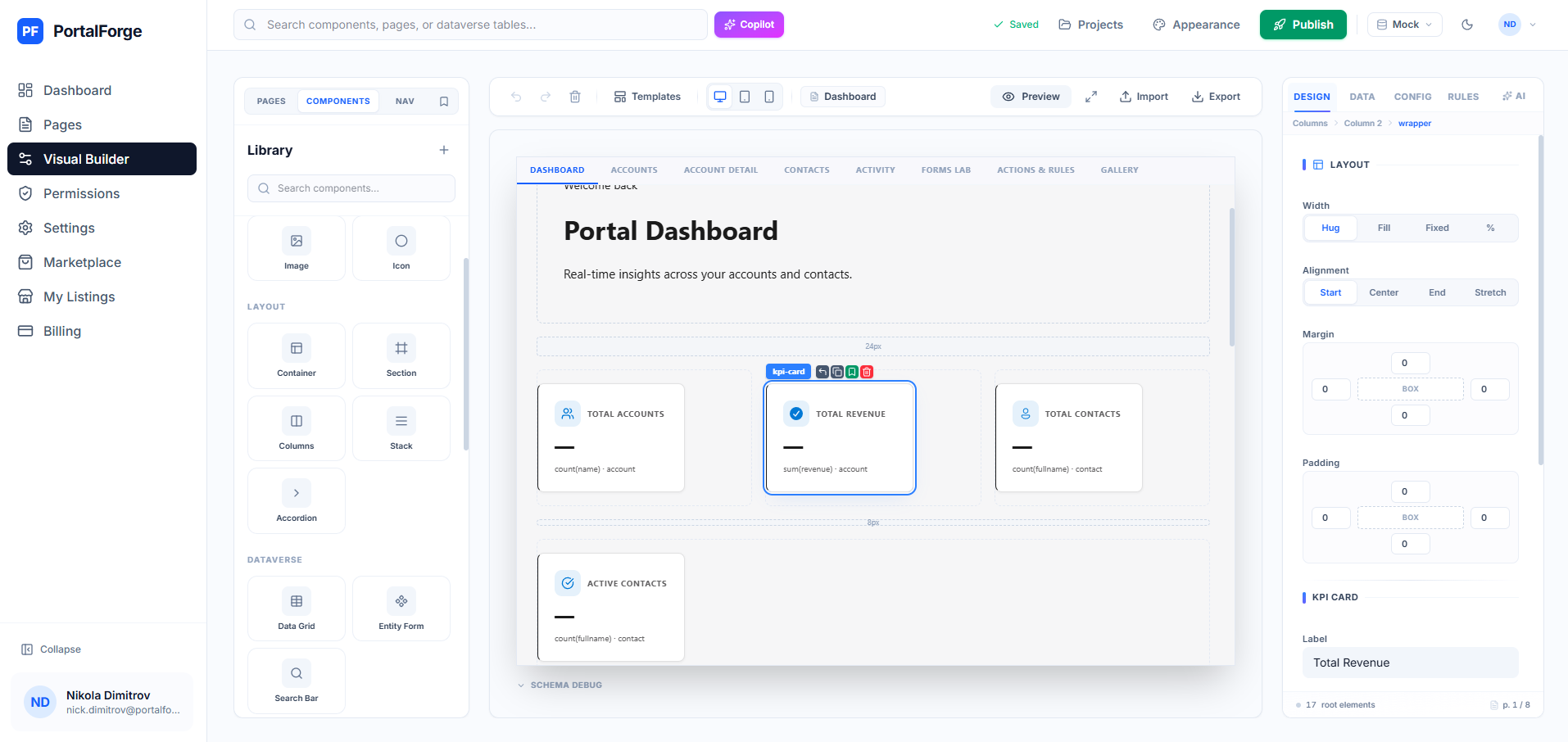
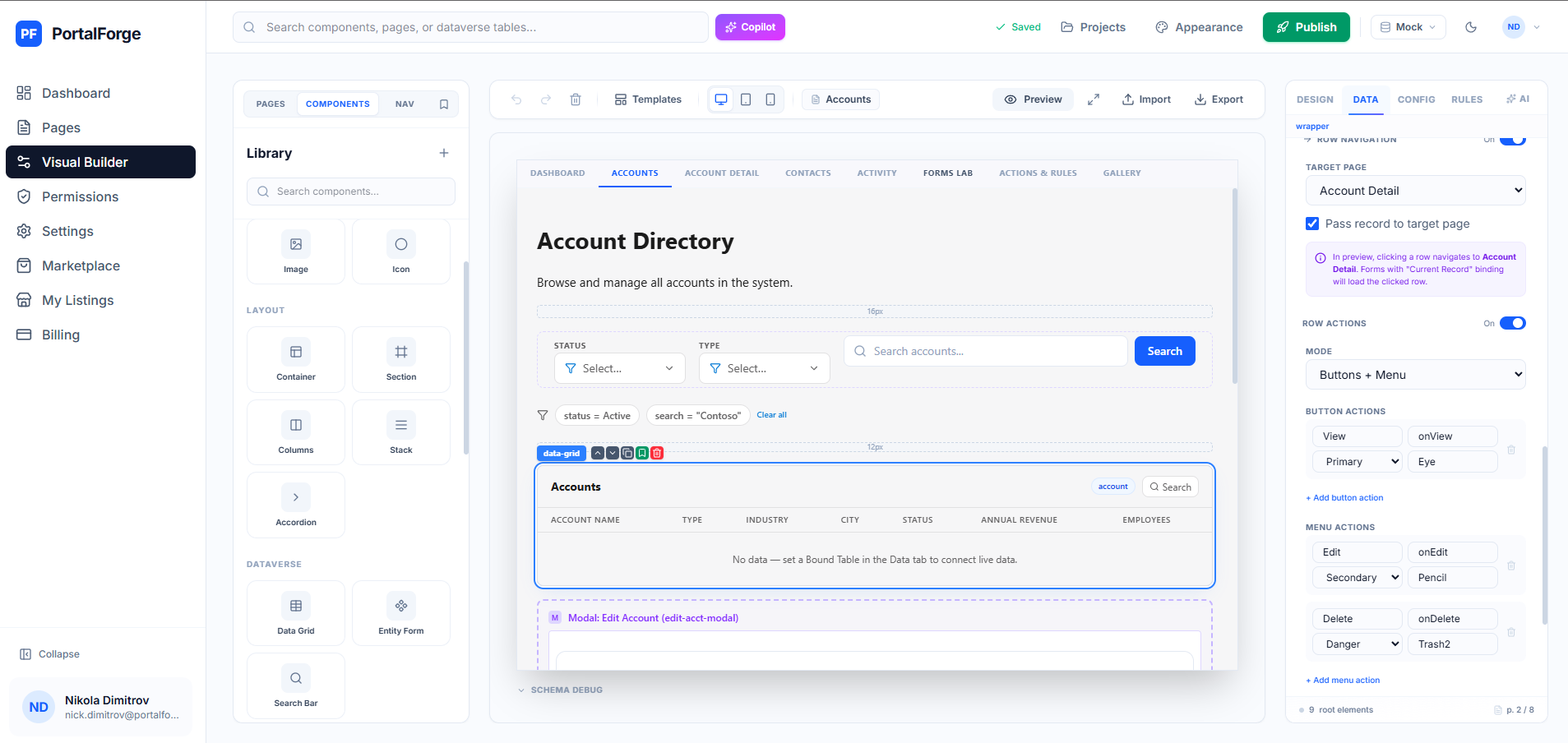
What it is: a modern visual builder that sits on top of Power Pages. You design in a React + Tailwind canvas; the output publishes to your existing Power Pages site as a standard portal.
Strengths: Keeps everything Power Pages is good at — Dataverse-native, web-role security, compliance, hosting — while replacing the weak authoring layer. Visual drag-and-drop, 25+ components, instant preview with real data, AI page generator, scope-aware permissions editor. Deploys as a code site to Power Pages.
Weaknesses: Requires a Power Pages license (same as you'd need anyway). Doesn't fit if you explicitly want to avoid Power Pages infrastructure.
Verdict: The default we'd pick for most Dynamics 365 customers. Cheaper and faster than custom React, more powerful than native Power Pages, Dataverse-native unlike Webflow or Bubble. See every feature →
Headless CMS (Sanity, Contentful, Strapi)
What it is: content management backends exposed through APIs.
Strengths: Excellent for content-heavy portals (knowledge bases, documentation, marketing sites).
Weaknesses: Not portals. You still need a frontend app that queries the CMS and renders pages — the CMS is a component, not the whole thing.
Verdict: Good building block. Not a Power Pages alternative on its own.
How to pick in 30 seconds
- Portal is mostly static content + a contact form: Webflow is probably faster than anything on this list.
- Internal dashboard for company employees: Retool.
- External portal for customers / partners / volunteers on an existing Dataverse: PortalForge beats both Power Pages native and custom React.
- Consumer-facing portal where brand IS the product: custom React/Next.js, with a separate data layer.
- You're fine with Liquid and already have Power Pages licensing: stay on native Power Pages.
For most Dynamics 365 customers reading this, the winning answer is "Power Pages + a better builder on top" — which is what we built PortalForge to be. Browse templates → or read our complete Dataverse portal builder guide for deeper context.