If you work in the Microsoft ecosystem long enough, you'll end up building a Dataverse portal — an external-facing web interface that reads and writes to the same tables your internal Dynamics users operate on. This guide is the pillar reference for doing that well in 2026: what a Dataverse portal builder actually is, how the data and security model work, what the trade-offs are, and where the tooling landscape stands today.
What is a Dataverse portal builder?
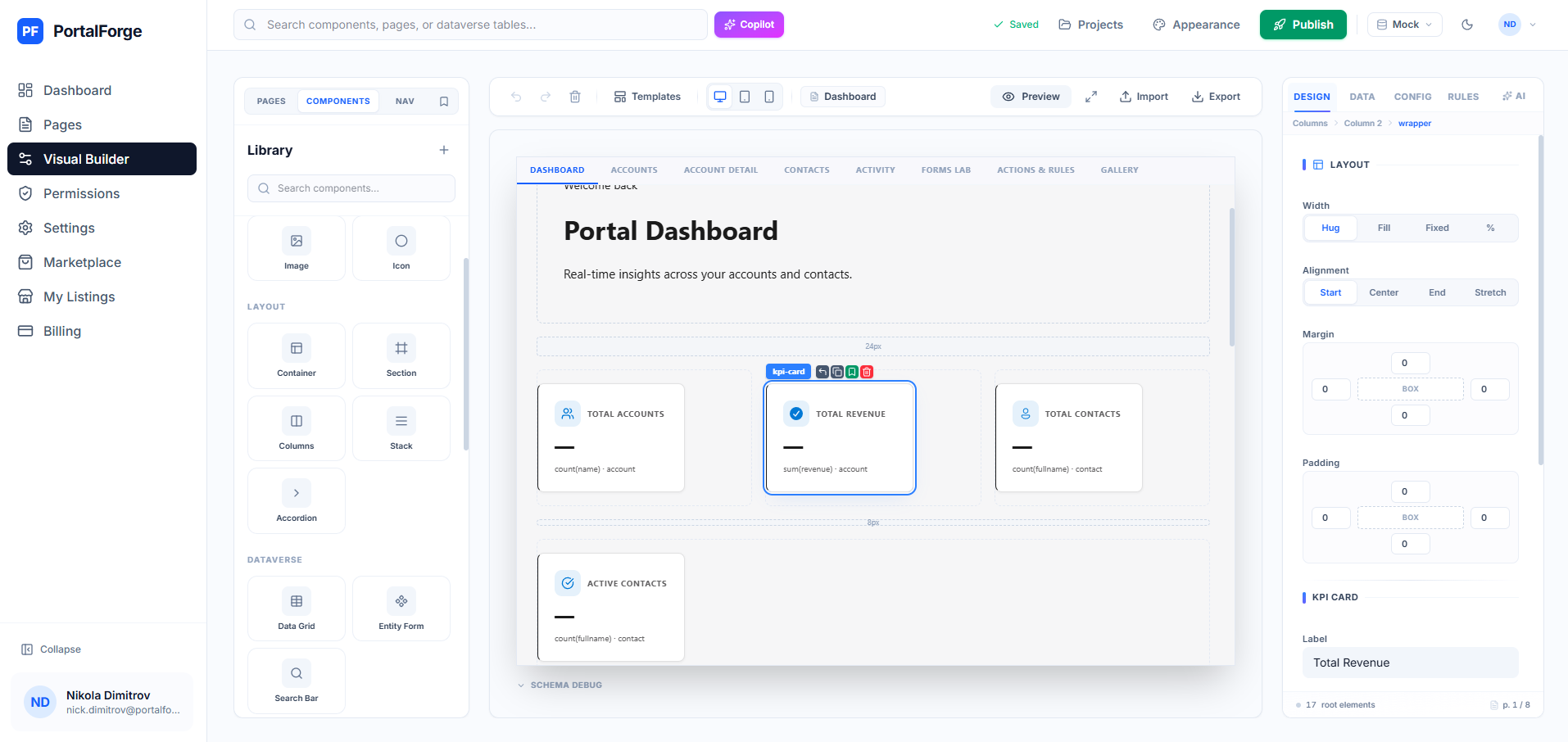
A Dataverse portal builder is a tool that lets you compose a web application — forms, grids, dashboards, content pages — that reads and writes directly to Dataverse tables, without hand-writing HTTP clients, authentication flows, or schema-to-UI mappings.
The canonical Microsoft product in this space is Power Pages (formerly Dynamics 365 Portals). Third-party builders sit on top of Power Pages or replace it entirely. They all share four core responsibilities:
- Schema-to-UI projection: turn Dataverse metadata (table definitions, column types, relationships) into forms and grids without you writing the HTML.
- Data access: talk to Dataverse over OData (Web API) or the Fetch API, handle authentication, and expose typed CRUD operations.
- Security projection: enforce web-role-based table permissions at both design time (preview) and runtime (published portal).
- Deployment: compile your design into a deployable artifact — HTML + JavaScript, a Liquid template set, or a hybrid.
Understanding the Dataverse security model
Before any portal builder can help you, you need to understand how Dataverse security actually works. This is where most portal projects fail silently.
Dataverse has two separate security models: the internal security role system (used by Dynamics users) and the web role system (used by Power Pages and external portals). They're related but not identical. Web roles control what external portal visitors can do; security roles don't apply to Power Pages users.
Inside the web-role system, access is gated by table permissions. Each table permission grants a web role CRUD access to one table, with a scope that determines which rows:
- Global: every row in the table. Rarely correct for customer-facing portals.
- Contact: rows where the
_contactid_valuefield matches the signed-in contact. - Account: rows where
_parentcustomerid_valuematches the contact's parent account. - Parent: rows reached through a relationship — e.g. invoices attached to an order the user can see.
- Self (administrative): the contact record itself.
Good portal builders expose these scopes as a first-class concept. PortalForge's permission editor maps one-to-one with this model, which means the thing you preview is the thing that gets deployed. Bad tools abstract it into "roles" without exposing scope, and you end up with production surprises.
Forms and grids — the 80% of any portal
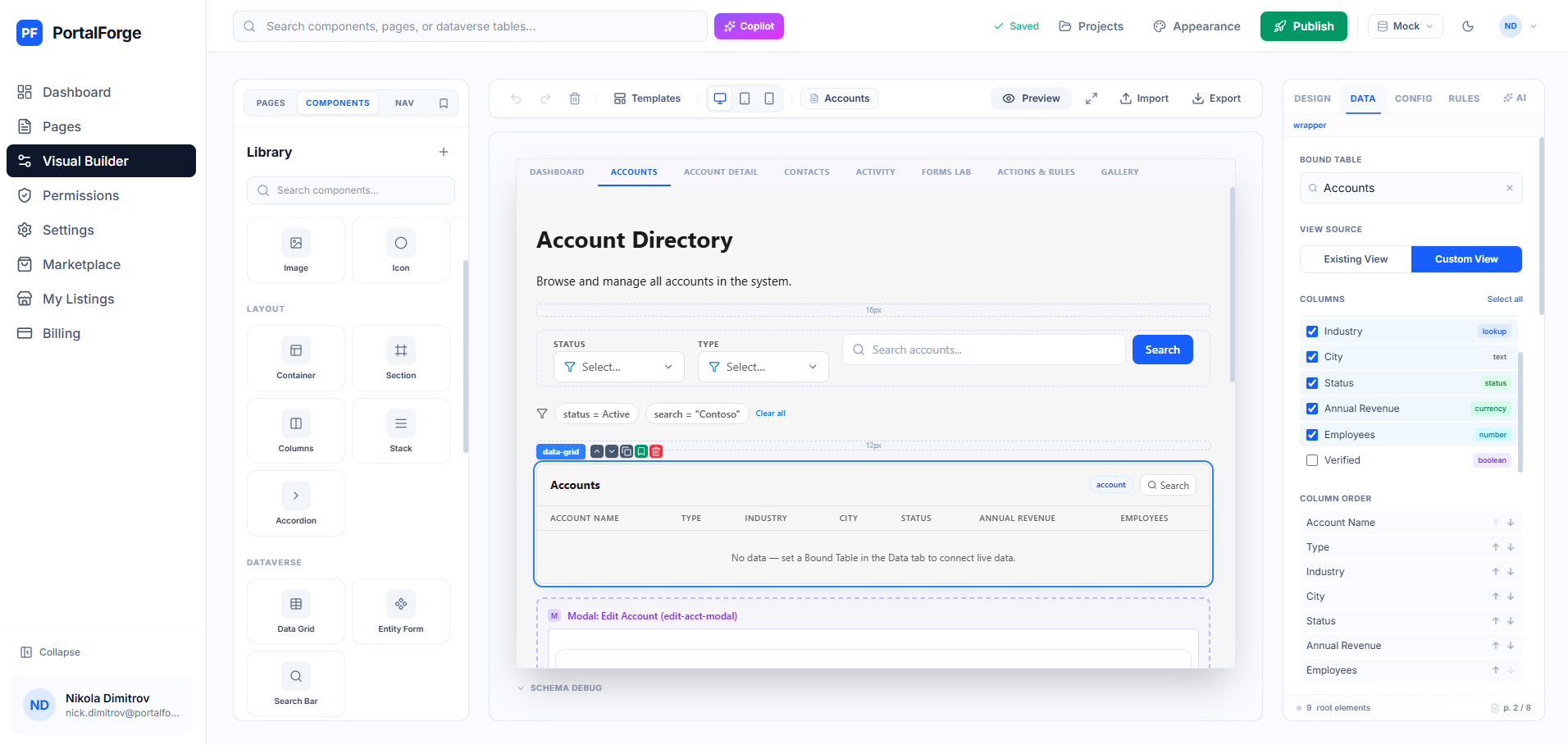
Every Dataverse portal you'll ever build has forms and grids as its primary surface. Forms collect data (submit a case, register for an event, onboard as a vendor); grids display data (my cases, my registrations, my team's deals). Getting these right is the difference between a portal that ships and one that stalls.
Form concerns that matter:
- Required-field validation that reads from Dataverse's RequiredLevel attribute metadata — not a hand-maintained duplicate.
- Lookup handling, including polymorphic customer (account-or-contact) lookups that require the
field_target@odata.bindformat. - Option set write-back, which requires converting the user-visible label back into the integer option code.
- Conditional display and branching, so a "Yes" on one field reveals the next section.
Grid concerns:
- $select optimization — pull only the columns you render, not every attribute.
- Server-side pagination via
@odata.nextLink+$top. - Formatted-value rendering (
@OData.Community.Display.V1.FormattedValue) so choice columns show labels, not integers. - Scope-applied filtering so the grid respects the same web-role table permission as the runtime read.
The 2026 tooling landscape
Three broad categories of Dataverse portal builder exist today:
1. Microsoft's own Power Pages Design Studio. Included with Power Pages licensing. Handles simple pages well; for anything substantial you end up in the Liquid code view. Good for greenfield portals with a Microsoft-only team.
2. Third-party visual builders on top of Power Pages. Tools like PortalForge, which use Power Pages for hosting and security but replace the authoring layer. Modern canvas, drag-and-drop components, preview personas, real Dataverse bindings. Good for teams who want faster iteration without giving up the Microsoft security story.
3. Custom React/Next.js portals talking directly to Dataverse via the Web API, independently hosted. Infinite flexibility but substantial ongoing maintenance. See our comparison of Power Pages vs custom portals.
Deployment pipeline basics
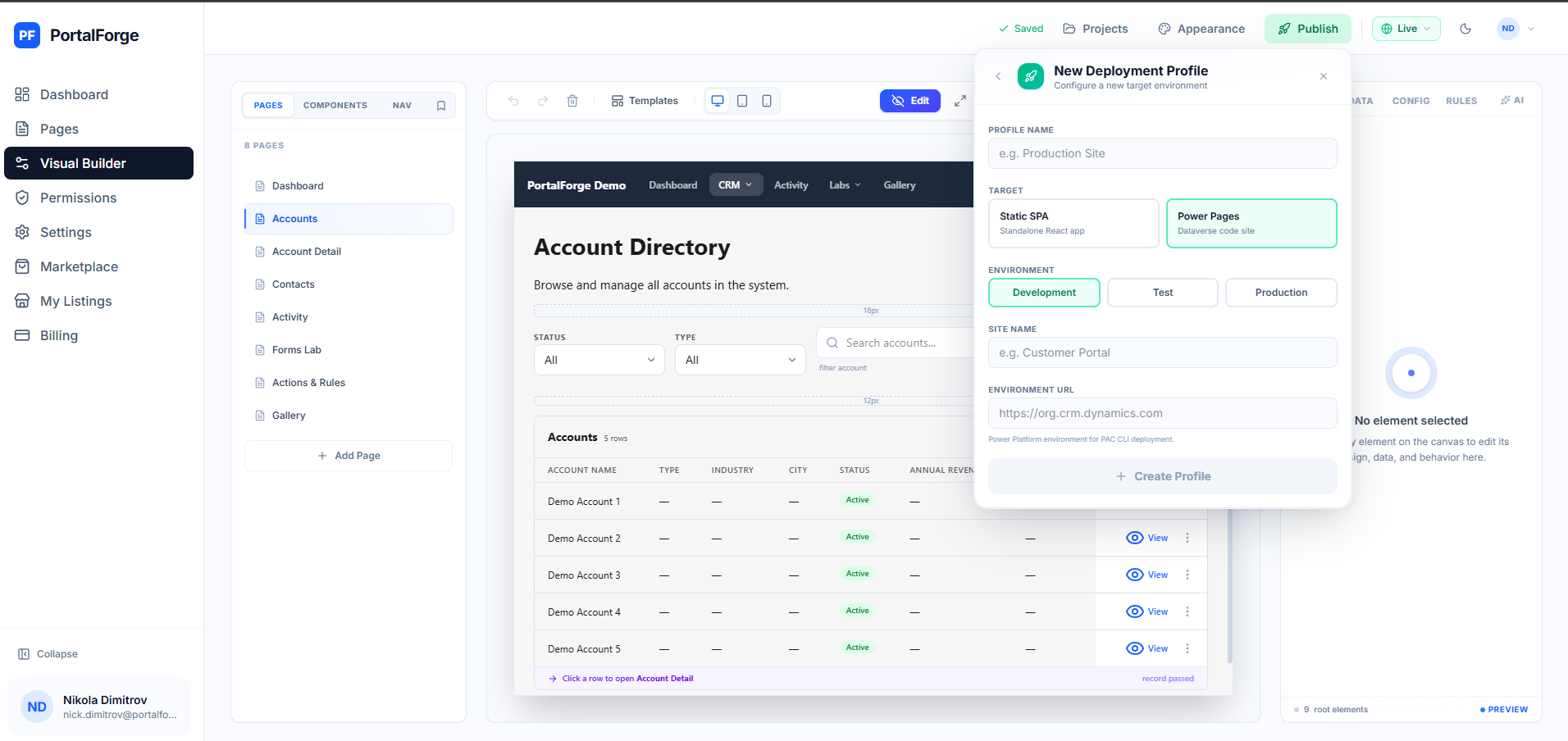
Whatever tool you use, the deployment pipeline needs to handle four things: the portal content (pages, templates), the table permissions, the web roles, and the underlying Dataverse metadata changes. The failure mode to watch for is drift — your dev environment has a web role your prod doesn't, and the deploy quietly grants permissions that never work.
Production-ready tools ship solution packaging that includes all four. PortalForge, for example, publishes its output as a Power Platform solution so every environment migration is a single managed-solution deploy.
When to build a Dataverse portal at all
Not every external interface needs to be a Dataverse portal. If your users don't need to see or modify Dataverse records (pure marketing site, static documentation), you're better off on a headless CMS or static site generator. If your data lives in PostgreSQL or MongoDB, Dataverse is the wrong primitive.
The sweet spot: you already have Dynamics 365, your data is already in Dataverse, you need authenticated users to interact with that data, and you want one security model across internal and external access. That's when a Dataverse portal builder earns its keep.
Next steps
If you're ready to build, start with our end-to-end tutorial or browse production-ready templates. If you're still deciding, our Power Pages vs custom comparison will clarify the tradeoffs.